Is my website blocking ChatGPT? The 2-minute check
Your website blocks ChatGPT if robots.txt disallows OAI-SearchBot, or if Cloudflare or your host turns OpenAI's crawlers away. Here is the 2-minute check and the lines to change.
In short
- OAI-SearchBot decides whether ChatGPT search can show your site. OpenAI says sites opted out of it "will not be shown in ChatGPT search answers" (crawler page, read 6 November 2026).
- A Disallow under GPTBot only opts your content out of OpenAI's model training. It does not take you out of ChatGPT search.
- Cloudflare has changed its default for AI crawlers three times since 1 July 2025, so check the setting on your own domain instead of assuming the default.
- OpenAI says a robots.txt change takes about 24 hours to reach ChatGPT search.
The quickest way to answer "is my website blocking ChatGPT" is to open yourdomain.com/robots.txt: a Disallow: / under User-agent: OAI-SearchBot, or under User-agent: * when the file has no OAI-SearchBot group, keeps your site out of ChatGPT search. If the file is clean, the block can still sit in Cloudflare or in your host's bot protection, and the file will not show it.
At rankr, a Singapore SEO agency, we built a free AI visibility checker that reads the file the way Google's parser does and names each crawler it blocks. Below is the same check by hand, plus the Cloudflare check the checker cannot do.
Which OpenAI crawler decides whether ChatGPT can find you?
OAI-SearchBot. OpenAI runs three crawlers, and its crawler page, read on 6 November 2026, gives each a different job:
| Crawler | What OpenAI says it does | If you block it |
|---|---|---|
| OAI-SearchBot | "used to surface websites in search results in ChatGPT's search features" | Your site "will not be shown in ChatGPT search answers", though it "can still appear as navigational links" |
| GPTBot | Crawls "content that may be used in training our generative AI foundation models" | Your content is marked as not for training. ChatGPT search is unaffected |
| ChatGPT-User | Visits a page when someone asks ChatGPT or a custom GPT a question | OpenAI says "robots.txt rules may not apply", and that it is "not used to determine whether content may appear in Search" |
OpenAI says each setting "is independent of the others", so a business can stay in ChatGPT search and still keep its content out of training.
Is my website blocking ChatGPT? The 2-minute robots.txt check
- Type yourdomain.com/robots.txt into your browser. If you get a "not found" page, there is no file, and the robots.txt standard lets every crawler in.
- Look for a group that names OpenAI: a line reading
User-agent: OAI-SearchBot,User-agent: GPTBotorUser-agent: ChatGPT-User. The rules under it run until the next User-agent line. - A
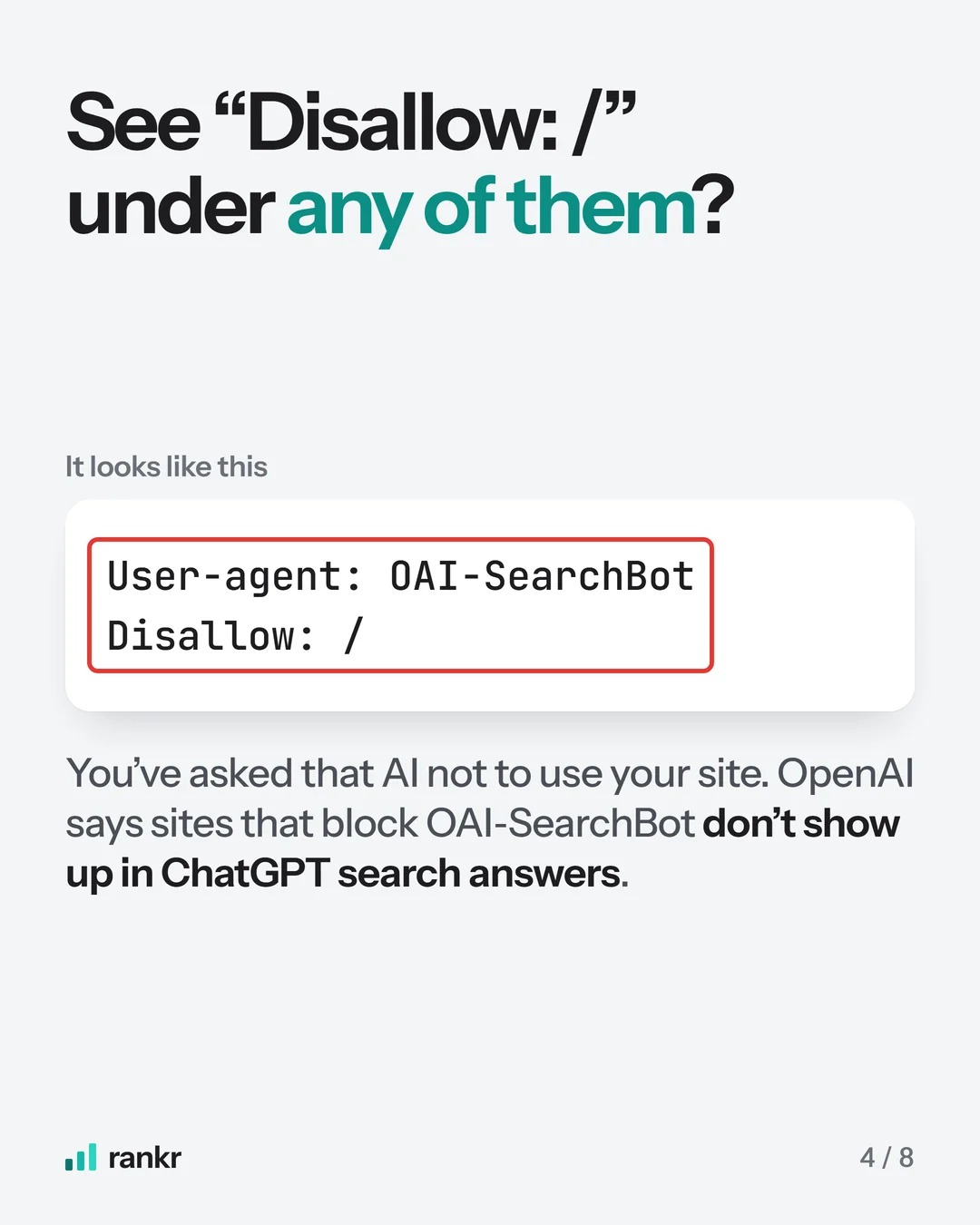
Disallow: /under OAI-SearchBot keeps the whole site out of ChatGPT search. The same line under GPTBot only opts you out of training. - Find
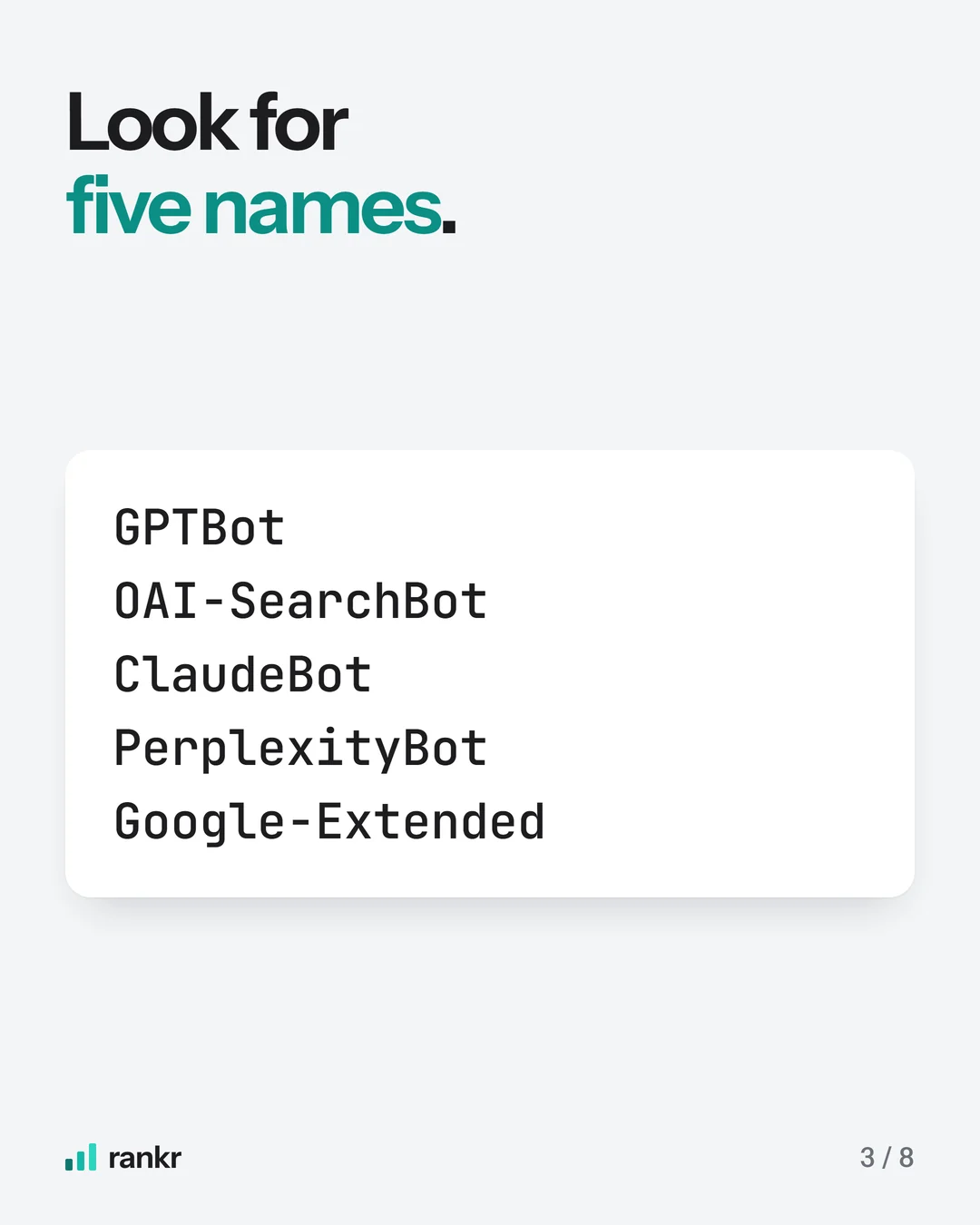
User-agent: *. ADisallow: /there applies to every crawler without a group of its own, OAI-SearchBot and Googlebot included. Under the robots.txt standard, RFC 9309, a crawler named in its own group follows that group and skips the*one. - Read the other AI names the same way: ClaudeBot, PerplexityBot and Google-Extended.
What should the robots.txt lines say?
To stay in ChatGPT search and keep your content out of OpenAI's training, the split OpenAI's crawler page describes, the file needs these two groups:
User-agent: OAI-SearchBot
Allow: /

User-agent: GPTBot
Disallow: /
Drop the GPTBot group to let OpenAI use your pages for both. If the file has Disallow: / under User-agent: * because the site was built behind a block and nobody removed it, delete that line or narrow it to the folders you want hidden, since it keeps Google out too. OpenAI says "it can take ~24 hours from a site's robots.txt update for our systems to adjust".
On a website builder you may not be able to edit the file at all. Google's robots.txt guide says that with a CMS such as Wix or Blogger "you might not need to (or be able to) edit your robots.txt file directly", and that the CMS may offer a search settings page instead.
Is Cloudflare blocking ChatGPT on your site?
It can be, and robots.txt will not tell you. W3Techs counted Cloudflare in front of 28.6% of all websites in November 2026, and Cloudflare has changed its default for AI crawlers three times:
| Date | What Cloudflare said | Where |
|---|---|---|
| 1 July 2025 | It blocks AI crawlers by default, and "every new domain will now be asked if they want to allow AI crawlers" at sign-up | Press release |
| 1 July 2026 | One "Block AI bots" switch became three settings: Search, Agent and Training. From 15 September 2026, new domains block Training and Agent bots on pages that show ads and allow Search | Changelog |
| Updated 2 November 2026 | "For new domains, Search, Agents, and Training use Allow (do not block) by default." | Documentation |
So your setting depends on when the domain joined and whether anyone changed it since. To check it:
- Log in to Cloudflare, pick your domain, go to Security, then Settings, filter by Bot traffic and open AI Crawler and Agent access policies.
- Set Search to Allow (do not block). Cloudflare's Search covers "crawlers that collect or index your content to answer questions about it later", which is OAI-SearchBot's job, and Agent covers "chat fetch bots", the kind of visit ChatGPT-User makes. Training is your call, but Cloudflare says it includes "mixed-purpose crawlers that are used both for Training and for Search", so a Training block can reach a crawler you need.
- Open AI Crawl Control. Its table lists each AI crawler requesting your pages with an Action column, and OAI-SearchBot's action should read Allow.
- Reload yourdomain.com/robots.txt. With Bot Preference Sync on and any policy set to block, Cloudflare adds its own lines at the top, between "# BEGIN Cloudflare Managed content" and "# END Cloudflare Managed Content". Its documented example disallows GPTBot, ClaudeBot and Google-Extended and does not name OAI-SearchBot.
What else can stop ChatGPT reading your site?
Bot protection at your host can turn crawlers away before they reach a page. OpenAI recommends "allowing requests from our published IP ranges", so ask whoever runs your hosting whether its bot rules let OAI-SearchBot and ChatGPT-User through.
JavaScript is the other cause. ChatGPT reads the HTML your server sends and does not run the code that fills a page in later. On our own test page, ChatGPT's agent fetched the page once on 18 October 2026 and never downloaded its JavaScript. The full test, and a 30-second way to check your own prices, is in why ChatGPT can't see your website.
The check matters because ChatGPT leans on business websites. In our study of 55 questions about Singapore trades, asked through OpenAI's API with web search on 5 October 2026, 460 of the 803 links in ChatGPT's answers, 57 of every 100, went to the websites of businesses in the trade. Where ChatGPT gets its information has the full count.
How do you know the fix worked?
- Wait a day. OpenAI puts the delay for a robots.txt change at about 24 hours.
- Run your homepage through the AI visibility checker. It reads robots.txt and names each crawler it blocks, but it cannot see Cloudflare's settings, so check those in the dashboard.
- In AI Crawl Control, look at OAI-SearchBot's requests and whether they are allowed or unsuccessful.
- Ask ChatGPT a question your customers ask, and open the sources under the answer.
Fixing crawler access is part of our technical SEO work. Once ChatGPT can read your site, getting mentioned on the sites it cites is our GEO work.
Sources
- OpenAI: Overview of OpenAI crawlers, no date on the page, read 6 November 2026
- Cloudflare: Cloudflare just changed how AI crawlers scrape the internet-at-large, 1 July 2025
- Cloudflare changelog: New options to manage AI traffic, 1 July 2026
- Cloudflare docs: AI Crawler and Agent access policies, last updated 2 November 2026, read 6 November 2026
- Cloudflare docs: robots.txt setting, last updated 2 November 2026, read 6 November 2026
- Cloudflare docs: Manage AI crawlers, last updated 28 July 2026, read 6 November 2026
- W3Techs: Usage statistics and market share of Cloudflare, November 2026, read 6 November 2026
- RFC 9309: Robots Exclusion Protocol, September 2022
- Google Search Central: Robots.txt introduction and guide, last updated 10 December 2025, read 6 November 2026
Frequently asked questions
How do I check if my website is blocked from AI crawlers?
Open yourdomain.com/robots.txt and read the groups for OAI-SearchBot, GPTBot, ClaudeBot, PerplexityBot and Google-Extended, and the one for User-agent: *. A Disallow: / under any of them blocks that crawler from the whole site. If the site runs through Cloudflare, check its AI Crawler and Agent access policies too.
Should I block ChatGPT from my website?
Block training if you want to, and keep search open if you want customers to find you in ChatGPT. OpenAI treats the two separately: disallowing GPTBot marks your content as not for training, while blocking OAI-SearchBot keeps your site out of ChatGPT search answers.
Does Cloudflare block AI crawlers by default?
It depends on when your domain joined. From 1 July 2025 Cloudflare blocked AI crawlers by default and asked each new domain at sign-up. Its changelog of 1 July 2026 set new domains from 15 September 2026 to block Training and Agent bots on pages with ads, and its documentation, updated 2 November 2026, says new domains now allow all three. Check Security, then Settings, then AI Crawler and Agent access policies on your own domain.
Want this done on your site? Send us your website and we will tell you what we would fix first. The audit is free.