WhatsApp link with pre-filled message: what to write in it
A WhatsApp link with a pre-filled message is wa.me, your number, then ?text= and the message, URL-encoded. Here is WhatsApp's own format, and what to put in the message, from the button that brought our first client a S$1,399 order.
In short
- The format, from WhatsApp's help page read on 7 November 2026: https://wa.me/<number>?text=<message>, with the number in international format (65 and 8 digits in Singapore) and no plus sign, zeroes, brackets or dashes.
- The message must be URL-encoded: a space becomes %20, & becomes %26 and # becomes %23. An unencoded & or # cuts the message short.
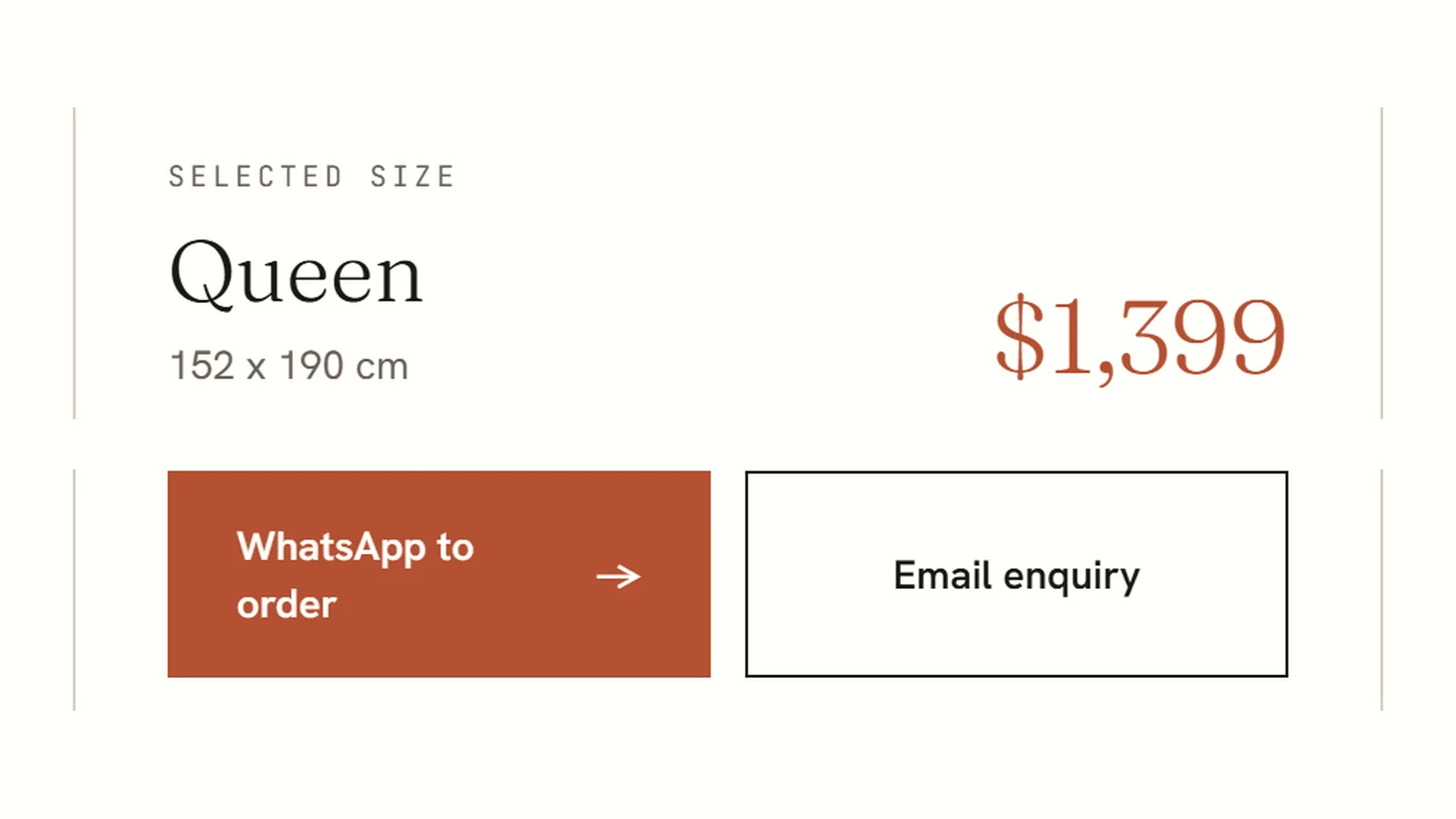
- Lullaflex's mattress page button types the size, dimensions and price and asks for ordering and delivery details. A buyer sent it word for word on 29 October 2026, for a S$1,399 Queen mattress, and it became a sale the same day.
- Write the pre-filled message as a complete request, with the product, size, price and next step, so it makes sense even if the customer sends it without typing a word.
A WhatsApp link with pre-filled message is your number in wa.me form with ?text= and the message added, like this: https://wa.me/65XXXXXXXX?text=Hi%2C%20I%20found%20you%20on%20your%20website. The number goes in full international format without the plus sign, spaces or leading zeros, and the message is URL-encoded, so every space becomes %20. Tap the link and WhatsApp opens a chat with those words already typed, ready to send.
What the message says matters more than the link. At rankr, a Singapore SEO agency, we build these buttons into the websites we make, and the one on our first client's mattress page types the size, the price and a request to order. On 29 October 2026 a buyer sent that exact message for a S$1,399 Queen mattress, and it became a sale the same day.
How do you make a WhatsApp link with pre-filled message text?
WhatsApp's help page "How to use click to chat", which we read on 7 November 2026, gives the format as https://wa.me/whatsappphonenumber?text=urlencodedtext and says: "Omit any zeroes, brackets, or dashes when adding the phone number in international format." Its own example ends in ?text=I'm%20interested%20in%20your%20car%20for%20sale.
- Write the number. For Singapore that is 65 and then the 8 digits, so +65 8XXX XXXX becomes 658XXXXXXX.
- Write the message in full sentences, the way a customer would type it.
- Encode the message. Spaces and punctuation are written as codes, shown in the table below. A website builder's WhatsApp button setting, or the builder on this page, does it for you.
- Join the parts:
https://wa.me/, then the number, then?text=, then the encoded message. - Test it on a phone and on a computer. On a computer, wa.me opens a WhatsApp page that shows the message with two choices, "Open app" and "Continue to WhatsApp Web".
WhatsApp link builder
https://wa.me/65XXXXXXXX?text=Hi%2C%20I'd%20like%20to%20order%20the%20Queen%20size%20at%20%241%2C399.%20Please%20share%20the%20ordering%20and%20delivery%20details.Type your number to replace the Xs. Put the link behind the WhatsApp button on each page, with a message written for that page.
| Character in your message | How it is written in the link |
|---|---|
| Space | %20 |
| Comma | %2C |
| $ | %24 |
| ? | %3F |
| & | %26 |
| # | %23 |
| New line | %0A |
Two of these change what WhatsApp receives if you type them as they are. A web address reads anything after an unencoded & as a separate setting, so "Pizza & pasta" arrives as "Pizza", and anything after an unencoded # never reaches WhatsApp at all.
If you use the WhatsApp Business app, it makes a short link for you. Tap Tools, then the three dots, then Short link, and switch on a default message there. WhatsApp's help pages describe it as a message "that customers can quickly edit and send".
What should a pre-filled WhatsApp message say?
Write the message a customer would send if they had every fact on the page in front of them. Lullaflex's website has four WhatsApp buttons, and each types something different. These are the templates from the site's code, checked against the live pages on 7 November 2026:
| Where the button sits on lullaflex.com | What it types, word for word |
|---|---|
| The mattress page, "WhatsApp to order" | Hi Lullaflex, I am interested in the Queen (152 x 190 cm) Lullaflex Mattress at $1,399. Please share the ordering and delivery details. |
| The other product pages | Hi Lullaflex, I found you on lullaflex.com and would like to ask about the [product name]. |
| The showroom page | Hi Lullaflex, I found you on lullaflex.com and would like to ask about a showroom visit on |
| "WhatsApp now", on every page | Hi Lullaflex, I found you on lullaflex.com and would like to ask about |
The mattress page opens with the Queen selected in its size picker. Choosing another size rewrites the message with that size, its dimensions and its price. Three parts make that message work:
- The product, size and price. The owner can reply with a delivery date instead of asking which size the customer means.
- Where the customer found you. The other buttons open with "I found you on lullaflex.com". A comment in the site's code gives the reason: so "enquiries that came from this site can be counted on the receiving phone without any tracking set up". Google Analytics can count a tap on the button. It cannot see the chat that follows, or the sale.
- A finished request. "Please share the ordering and delivery details" asks for the next step, so the first reply has a job to do.
What happened when a buyer used it?
One chat on Lullaflex's WhatsApp, on 29 October 2026, used three of the four buttons in a morning. At 6:56am the general button opened the chat with its greeting, and a minute later the buyer typed the question: which mattress is medium firmness and suits a head and foot adjustable bed frame. At 7:14am the showroom button opened the chat about a visit. At 8:18am came the mattress page's message, word for word, for the Queen at $1,399. It became a sale the same day.
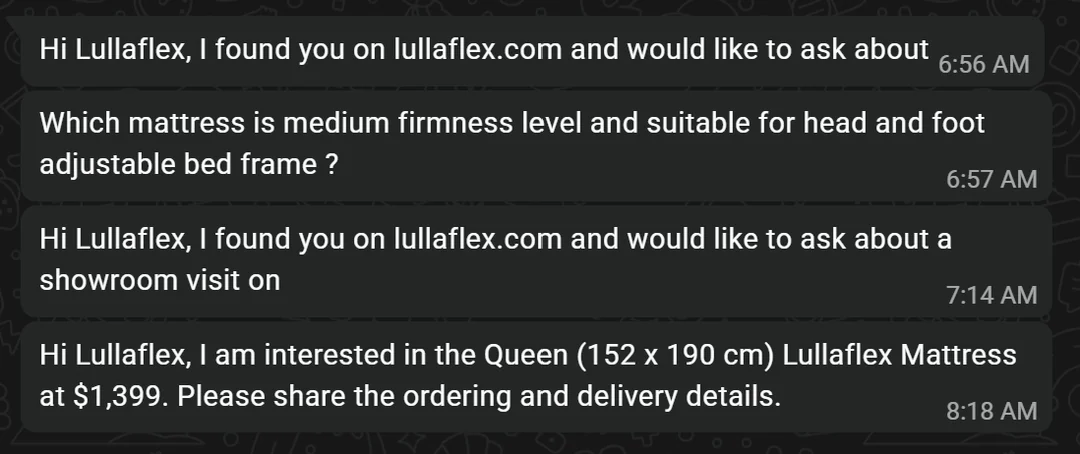
The general and showroom buttons start the conversation and leave the question to the customer. The mattress page's button asks it for them, with the size, the price and the next step, and that message needed nothing added. When you pre-fill a message, write one that still makes sense if the customer presses send without typing a word.
Where should the WhatsApp button go on your website?
Put one on every page that sells something, with that page's product and price in the message, and one general button on every page that says the customer came from your website. A price in the message only works if the page shows one. Our post on whether to put prices on your website explains why "how much?" is the question customers would otherwise send. The questions that still arrive belong on the page too, as headings with direct answers, which is the method in what questions your website should answer.
Then count. Once a month, search your WhatsApp chats for the phrase your general button types, such as "found you on", and you have the number of chats your website started, wherever the visitor came from.
We build these buttons into every site we make as part of web development. The Lullaflex build, from no website in May 2026 to that order, is in the Lullaflex case study. If you would rather we looked at your own site and its buttons first, start with a free SEO audit.
Sources
- WhatsApp Help Center: How to use click to chat, read 7 November 2026
- WhatsApp Help Center: How to create short links, read 7 November 2026
- WhatsApp Help Center: About QR code for WhatsApp Business, read 7 November 2026
- Lullaflex mattress page, WhatsApp button links checked 7 November 2026
Frequently asked questions
How do I add a pre-filled message to a WhatsApp link?
Add ?text= after the number in a wa.me link, then the message with every space written as %20 and punctuation encoded, for example https://wa.me/65XXXXXXXX?text=Hi%20there. WhatsApp's help page gives this format and asks for the number in international format without zeroes, brackets or dashes.
Is there a way to prefill a message on WhatsApp Web?
Yes, with the same link. On a computer, a wa.me link opens a WhatsApp page that shows your message and offers "Open app" for the desktop app or "Continue to WhatsApp Web" for the browser. You do not need a separate link for computers.
How do I create a short link with a pre-filled message?
In the WhatsApp Business app, tap Tools, then the three dots, then Short link. Switch on the default message and edit it with the pencil icon, and the short link and its QR code open a chat with that message ready. Any wa.me link with ?text= does the same without the Business app.
Want this done on your site? Send us your website and we will tell you what we would fix first. The audit is free.