How to Claim Your Business on ChatGPT in Singapore
OpenAI's new Business Hub, step by step from our own claim: who in Singapore can claim today, the five steps, and what its mention count leaves out.
In short
- Open chatgpt.com/business-hub, search your business name, then claim your listing or, for an online business, create one with the plus button.
- Verify with a code to your business phone or email, a TXT record on your domain or Shopify, then pass Persona's ID check.
- Singapore shops and restaurants cannot claim yet: for now OpenAI lets local stores claim only existing US listings.
- For an online business, a mention counts only when ChatGPT references your website, not your name alone.
- Claiming keeps your details in ChatGPT current. It does not guarantee that ChatGPT recommends you.
To claim your business on ChatGPT, open chatgpt.com/business-hub, search your business name, then claim the listing ChatGPT already has or, if you run an online business, create one with the plus button. You prove the business is yours with a code to your business phone or email, a TXT record on your domain, or Shopify, then pass an identity check with Persona. Once OpenAI approves it, your profile gets a blue check and you can update the details ChatGPT has about you.
OpenAI launched this, Businesses in ChatGPT, in beta on 10 November 2026, and says 1.2 billion people use ChatGPT each week. We set up rankr's own profile on 12 November to write this guide, so the screenshots below are ours.
Who can claim a ChatGPT business profile in Singapore right now?
Online businesses with a website can, if they pass OpenAI's checks. Shops and restaurants mostly cannot, for now.
OpenAI's setup guide says an online business that cannot find its listing may get the option to add one. Local stores and restaurants, for the moment, can only claim an existing listing in the US.
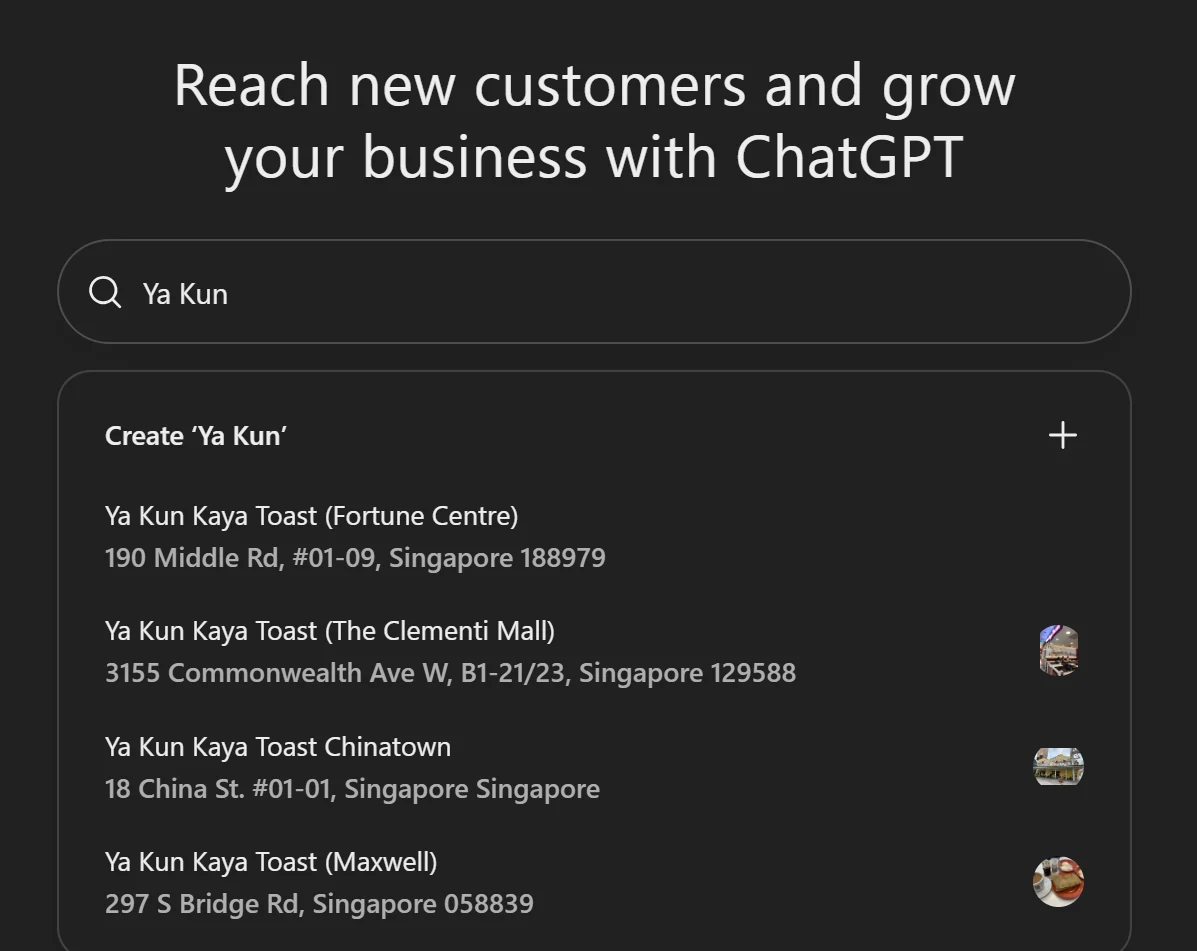
ChatGPT already knows a lot of Singapore shops, though. When we searched Ya Kun in Business Hub, it returned four outlets with full addresses: Fortune Centre, The Clementi Mall, Chinatown and Maxwell. The listings are there. Their owners just cannot claim them yet.
If people visit you in person (a clinic, salon, café or workshop), keep your Google Business Profile current and check Business Hub again in a few weeks. OpenAI's policy says eligibility depends on where you are and what you sell, and that it may open more categories once it has the safeguards to support them.
How do you claim your business on ChatGPT, step by step?
This is the path for a business ChatGPT has not listed yet, which is where we started.
1. Open Business Hub and search your name
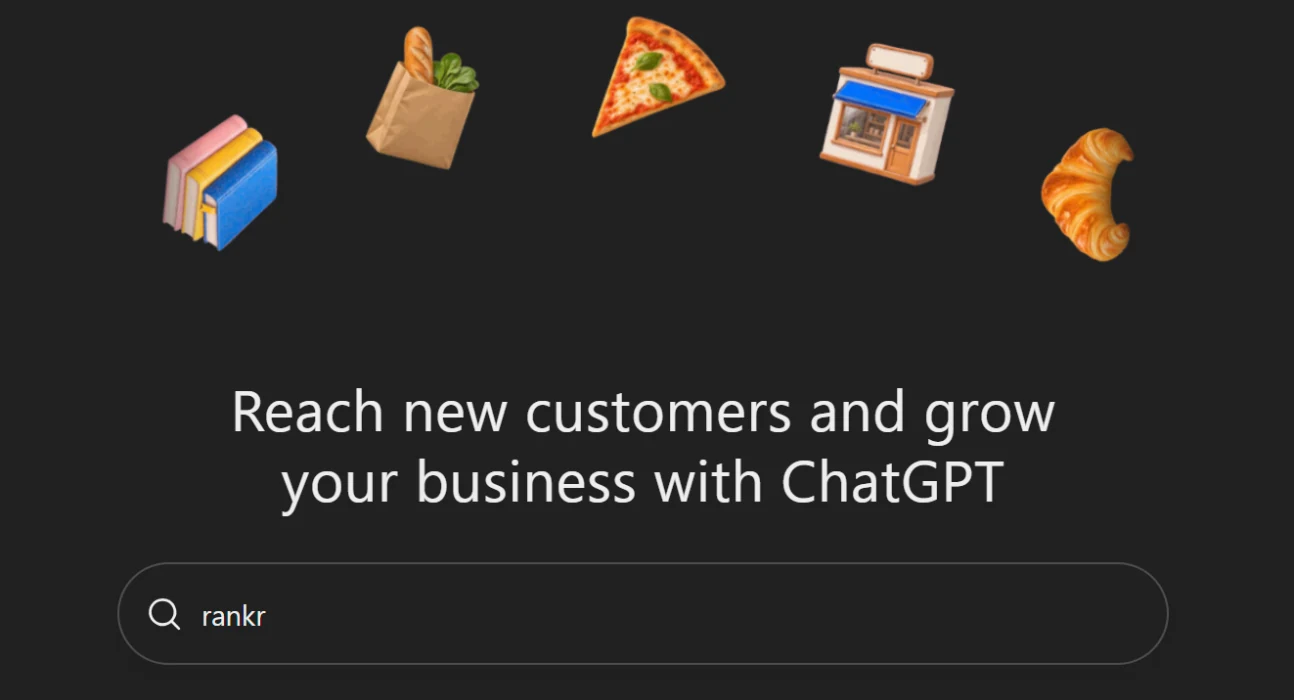
Sign in to ChatGPT and go to chatgpt.com/business-hub, or open Business from the sidebar. The search box looks for businesses ChatGPT already knows about.
2. Claim the match, or create your business
If your business comes up, select it and confirm which ChatGPT account will manage it. Use an account you will keep: whoever claims the business becomes its admin, and the admin is the one who can add teammates later.
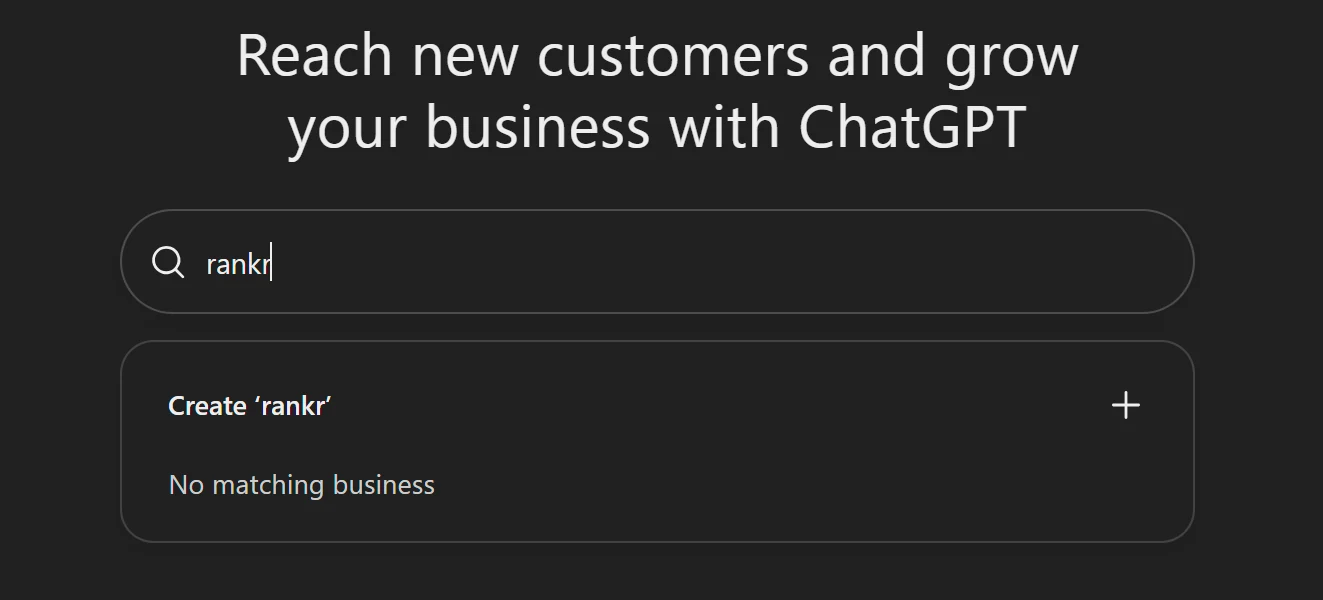
No match means an online business may see a Create option with a plus sign. rankr had no listing, so we created one.
3. Fill in the details
ChatGPT asks for a category, a short description and your policies. Three things caught us out:
- The description stops at 300 characters, about two sentences. Say what you sell and who it is for, the way you would to a customer.
- There is no SEO category. We chose Marketing agency, the closest fit. Pick your nearest one.
- The delivery and returns questions are written for shops. A service business still has to answer them. We picked "We don't offer delivery" and "Returns not accepted".
4. Prove the business is yours
Choose one of the methods offered: a code sent to your business phone by text or call, a code to your business email, a TXT record on your website's domain, or a Shopify login.
We used the domain. The TXT record goes on a host called openai-business-profile, so openai-business-profile.yourdomain.com, and the code it shows expires after about an hour. Open your DNS settings first, or message whoever manages your domain, before you start this step.
OpenAI then reviews the claim and emails you its decision.
5. Pass the Persona identity check
Your profile stays a draft until you verify your identity with Persona. Before that, you cannot publish changes, see your insights or build an agent. OpenAI says you may need a government-issued ID, business registration details and proof that you can act for the business. For a Singapore company the official record is your ACRA registration, so the name, address and UEN you enter should match it exactly.
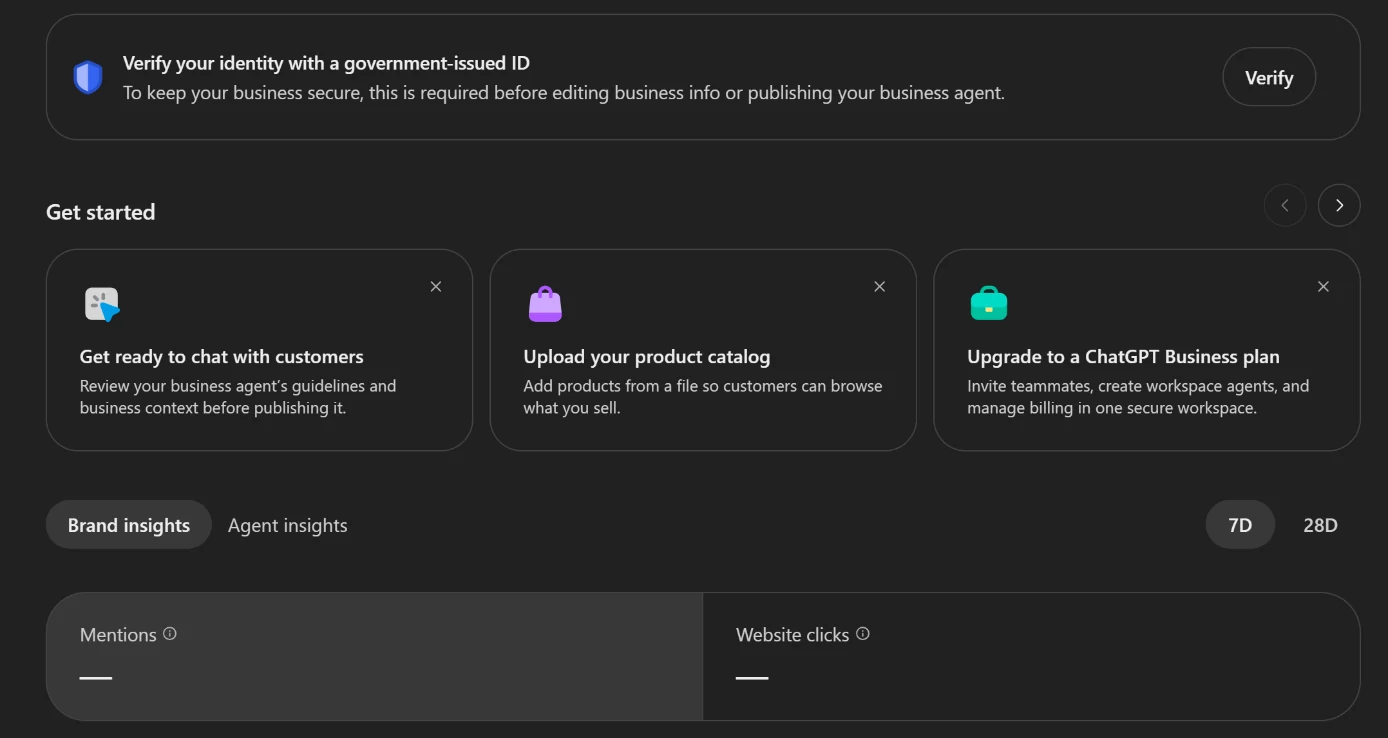
Two things to know before you submit. When you create a new profile, OpenAI's approval of your Persona check publishes it straight away, with no separate publish button. And only unpublished drafts can be deleted: OpenAI's support team cannot delete or hide a published profile as part of a setup or ownership request. Get the name, category and description right first.
What does Business Hub count as a mention?
Less than most people will assume. For an online business, OpenAI counts a mention only when ChatGPT's answer references your website. Your brand name on its own does not count. For a local business it works differently: a mention counts whenever ChatGPT shows a result for that location, whether or not anyone opens it.
So if you run an online business and ChatGPT names you without referencing your website, Business Hub does not count it.
| Metric | What OpenAI counts | What it leaves out |
|---|---|---|
| Mentions | Answers that reference your website (online business) or show your location (local business) | For an online business, answers that name you without your website |
| Website clicks | Clicks on links to your site inside ChatGPT | Whether the visitor arrived or bought. OpenAI's note on the tile says clicks don't confirm visits or conversions |
| Discovery topics | Common themes in answers that mentioned or cited you | The prompts themselves. Businesses never see them |
Insights cover the last 7 or 28 days. A blank number can mean you have not reached OpenAI's reporting threshold yet, not that the count is zero.
To catch the answers that name you without a link, ask ChatGPT your customers' questions yourself, more than once. Its picks move: when we asked 54 questions again, 50 got a different first pick. Our guide to checking what ChatGPT says about your business has the steps.
Will claiming your profile get ChatGPT to recommend you?
Not by itself. OpenAI says claiming does not guarantee higher placement or sales, that ChatGPT keeps making its own recommendations, and that advertising does not change those answers.
A profile keeps the details ChatGPT has about you current: your hours, what you sell, the link to your site. OpenAI reviews each change, and ChatGPT can still use other sources. The profile does not control whether you get mentioned. That is mostly decided by what the rest of the web says about you, meaning the pages ChatGPT can quote, the listings and articles that name you and the search results it reads. Our step-by-step on getting cited in ChatGPT's answers covers that side.
Can an agency claim it for you?
Yes, with your permission. OpenAI's policy lets you manage a profile only if you own the business or are authorised to represent it. The admin who claims it can add teammates and give an agency access, each person on their own ChatGPT account. Verification still runs through the business: the code goes to its phone, email, domain or Shopify store, and Persona checks the person making the claim, including proof that they can act for the business.
Frequently asked questions
How do I get my business listed on ChatGPT?
Two ways, and you want both. Claim or create your profile at chatgpt.com/business-hub so ChatGPT has your correct details. Then earn mentions on other sites and pages ChatGPT can quote, which is where its recommendations mostly come from.
Is it free to claim a business on ChatGPT?
OpenAI lists no fee for claiming, and you do not need an advertising account or a ChatGPT Enterprise agreement to do it.
Can a shop or restaurant in Singapore claim its ChatGPT profile?
Not for now. OpenAI's setup guide says local stores and restaurants can currently claim only existing US listings, even though ChatGPT already lists many Singapore outlets.
Can I delete my ChatGPT business profile?
Only while it is an unpublished draft: open the profile's Overview, then the three-dot menu, then Delete draft. OpenAI's support team cannot delete or hide a published profile as part of a setup or ownership request.
Is the Business Agent available in Singapore?
No. Business Agents, the chat that answers customers' questions for you inside ChatGPT, are open only to eligible ecommerce and online service businesses in the US. That is also why we could not test one.
Does a ChatGPT business profile replace my Google Business Profile?
No. They are separate. Google Maps and Google Search still use your Google Business Profile, and Business Hub changes only what ChatGPT shows.
Want this done on your site? Send us your website and we will tell you what we would fix first. The audit is free.